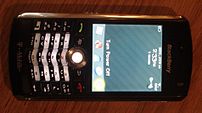
I’ve recently seen a fair amount of advertising with phone numbers listed with letters instead of numbers. Listings like 555-SOLD are fine, so long as you also list the digits associated with the letters. My Treo, and many other smart phones like Blackberries and iPhones, doesn’t have a way to associate numbers with the letters advertised. The take-home message is that letters in numbers went out of style with the advent of modern technolgoy and using them as an advertising tool means that many prospective customers won’t be able to call you.
Related

Aaron Traffas, CAI, ATS, CES
twitter.com/traffas | aarontraffas.com | aarontraffasband.com
Aaron Traffas, CAI, AMM, CES, is an auctioneer from Sharon, Kansas. For the last 22 years he's worked for
Purple Wave. Aaron served as president of the
Kansas Auctioneers Association in 2017 and on the
National Auctioneers Association Education Institute Board of Trustees from 2009 through 2013. He is a past instructor at CAI and co-wrote the original ATS and AMM designation courses from NAA. An active contract bid caller, he has advanced to the finals in multiple state auctioneer contests.
During the summer, Aaron operates a farm in south central Kansas. Aaron is an active singer and songwriter and the
Aaron Traffas Band's latest music can be found at aarontraffasband.com as well as
Spotify,
Apple Music and
Amazon.